TikTok Video Downloader
Without Watermark
Paste a public TikTok link to check available download options.

Copy. Preview. Save.
Check available TikTok video sources, preview the result, then save your MP4.
Copy link
Open TikTok, tap Share and copy the video link.

Paste link
Paste the TikTok link into the box above on this page.
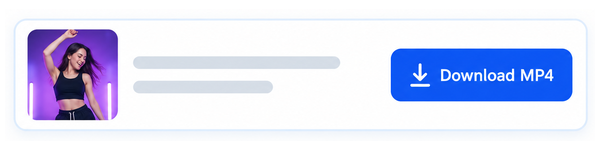
Save video
Check the video details, then save the MP4 to your device.
What you can download
and what stays
PostBoom retrieves the clean playback source available from TikTok for public videos. Availability depends on the source, and some requests may be blocked.
If the creator added their own logo, text or graphics directly into the video, those will remain as part of the original content.
Public videos only · Up to 64 MB · No login required
Frequently asked
questions
Straight answers to common questions about downloading TikTok videos with PostBoom.
Can I download a TikTok video without a watermark?
The tool selects TikTok’s clean playback source when available. It does not crop or blur the video and will not fall back to the watermarked download version. Logos already added by the creator may remain.
Why is my video unavailable?
Private, deleted, restricted and photo posts are not supported. TikTok may also temporarily block requests. Try again later or paste the full video link instead of a short share link.
Does this work on mobile?
Yes. Paste a public video link, get the video, then tap Download MP4. Your browser may let you save to Files or open the video.
Which videos should I download?
Use videos you own or have permission to download and reuse. A download does not transfer ownership or permission to repost. Respect the creator’s rights and applicable platform terms.
Plan your next TikTok post with PostBoom
Schedule, organise and publish your TikTok content alongside your other social media.
Explore PostBoom